Battery, Capacitor, Buzzer, Switch & Breadboard
In this lesson, we will learn about: Battery, Capacitor, Buzzer, Switch, Push Button, Breadboard, Jumper Wires
What Is an Electronic Component?
- An electronic component is a physical part used in an electronic circuit to perform a particular function.
For example:
- A battery provides electrical energy.
- A switch controls whether a circuit is connected or disconnected.
- A capacitor stores electrical energy temporarily.
- A buzzer produces sound.
- A breadboard helps us build circuits without soldering.
Think of components as the building blocks of an electronic circuit.
Battery
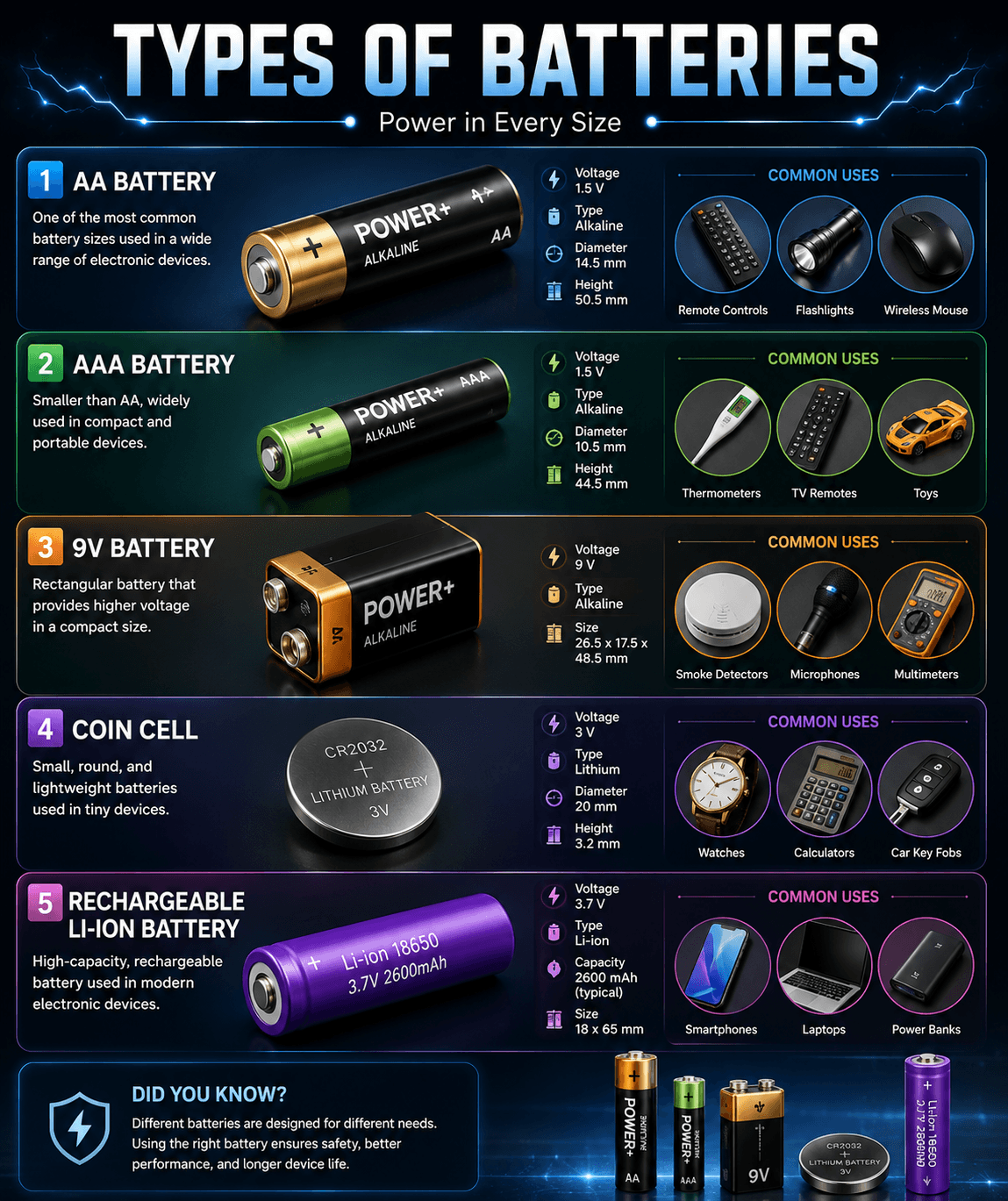
A battery is a source of electrical energy that provides a voltage to a circuit.
A battery has two terminals:
- Positive (+)
- Negative (−)
For example, a typical AA battery provides about 1.5 V.
A 9 V battery provides approximately 9 V.
Capacitor
A capacitor is an electronic component that can store electrical energy temporarily.
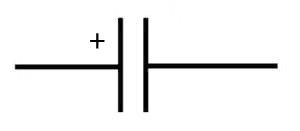
A capacitor has two terminals.
A simple capacitor symbol looks like:
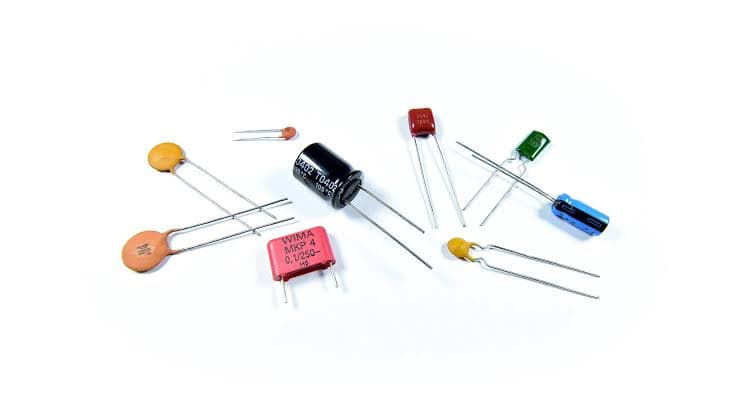
Capacitors are commonly used for:
Storing electrical energy temporarily
Smoothing voltage
Filtering electrical signals
Reducing unwanted electrical noise
Timing circuits
Helping electronic circuits operate correctly
We will learn more about capacitors and their applications as we progress.
Buzzer
A buzzer is a component that produces sound when electrically activated.
It is commonly used for:
- Alarms
- Warnings
- Notifications
- Doorbells
- Electronic projects
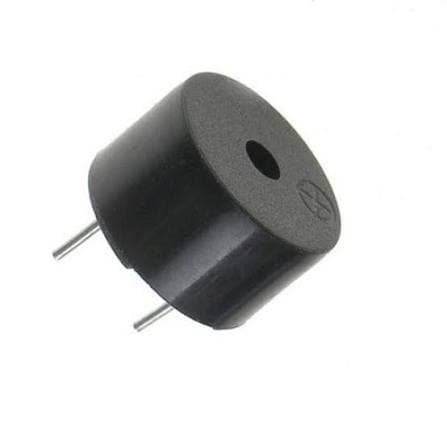
Some buzzers are active buzzers, while others are passive buzzers.
For basic projects, an active buzzer is often easier to use because applying the appropriate DC voltage can make it produce a tone.
Active vs Passive Buzzer
Active Buzzer
An active buzzer usually contains its own oscillator.
When the correct voltage is applied, it can produce a sound.
Passive Buzzer
A passive buzzer does not normally generate the tone by itself.
It requires a changing electrical signal to produce sound.
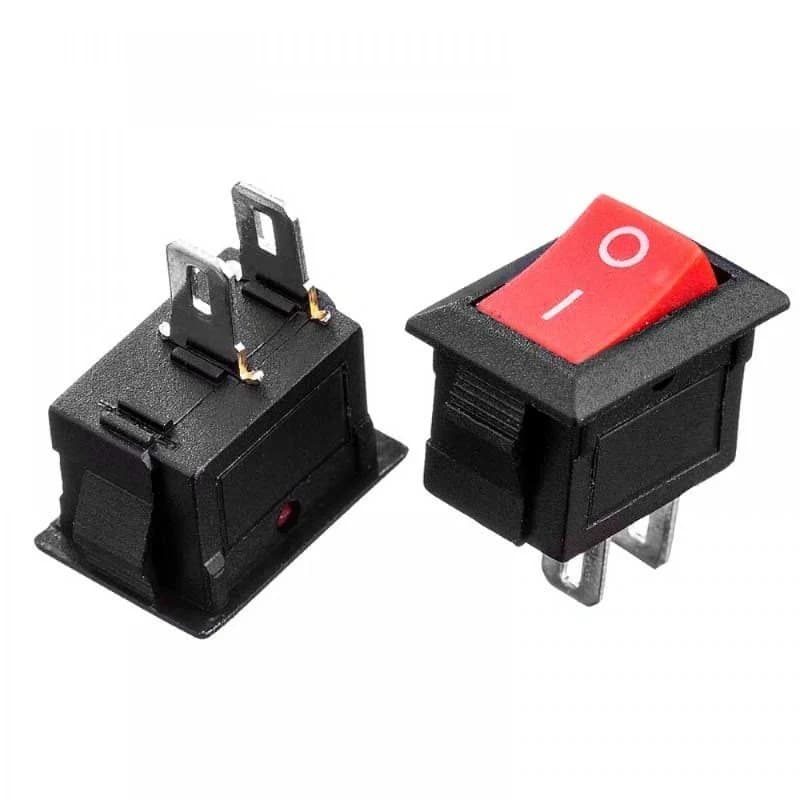
Switch
A switch is a component used to control the connection in an electrical circuit.
It can:
- Complete a circuit
- Break a circuit
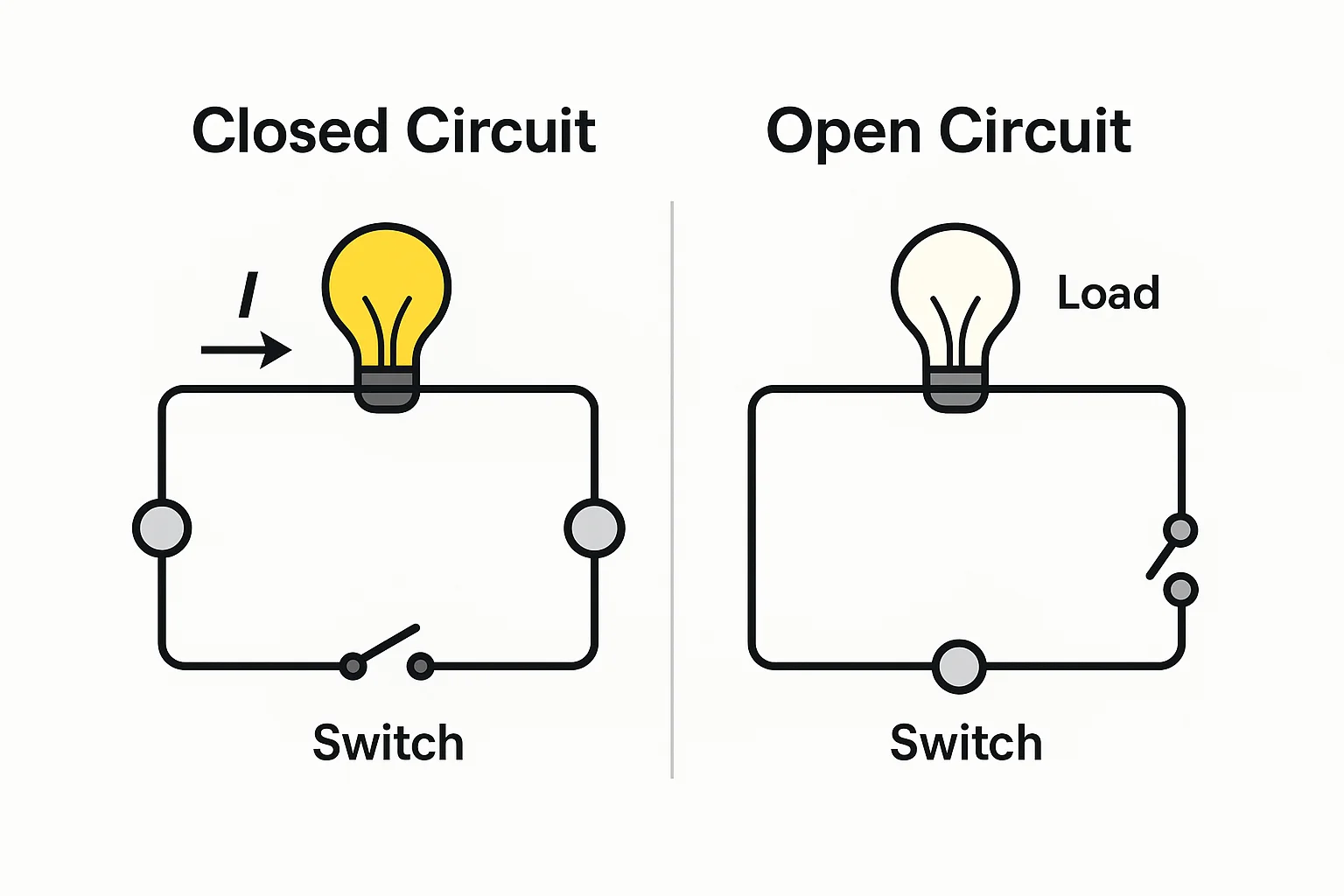
A simple switch can be represented as:
──────o/ o──────
Switch OFF
The circuit is open.
Battery ─── ✕ ─── Component
Current cannot flow through the complete path.
Switch ON
The circuit is closed.
Battery ───────── Component
Current can flow through the circuit.
Open and Closed Circuits
Open circuit
The path is broken.
──────/ ──────
Current cannot flow through the complete path.
Closed circuit
The path is complete.
──────────────
Current can flow.
A switch provides a simple way to change between these two conditions.
Push Button
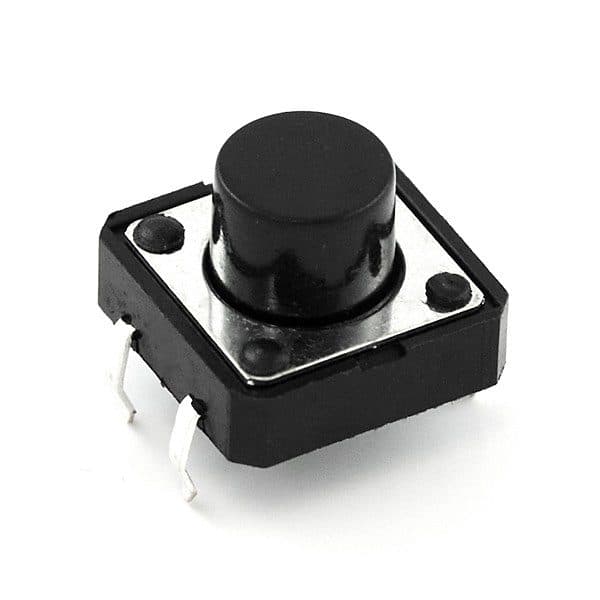
A push button is a type of switch that is activated by pressing it.
Push buttons are commonly used in:
- Doorbells
- Keyboards
- Control panels
- Electronic devices
- Arduino projects
A common type is a momentary push button.
- Robotics projects
It only changes its connection while it is being pressed.
Not pressed:
Circuit → Open

Pressed:
Circuit → Closed
Breadboard
Now we have components—but how do we connect them without soldering?
That's where the breadboard comes in.
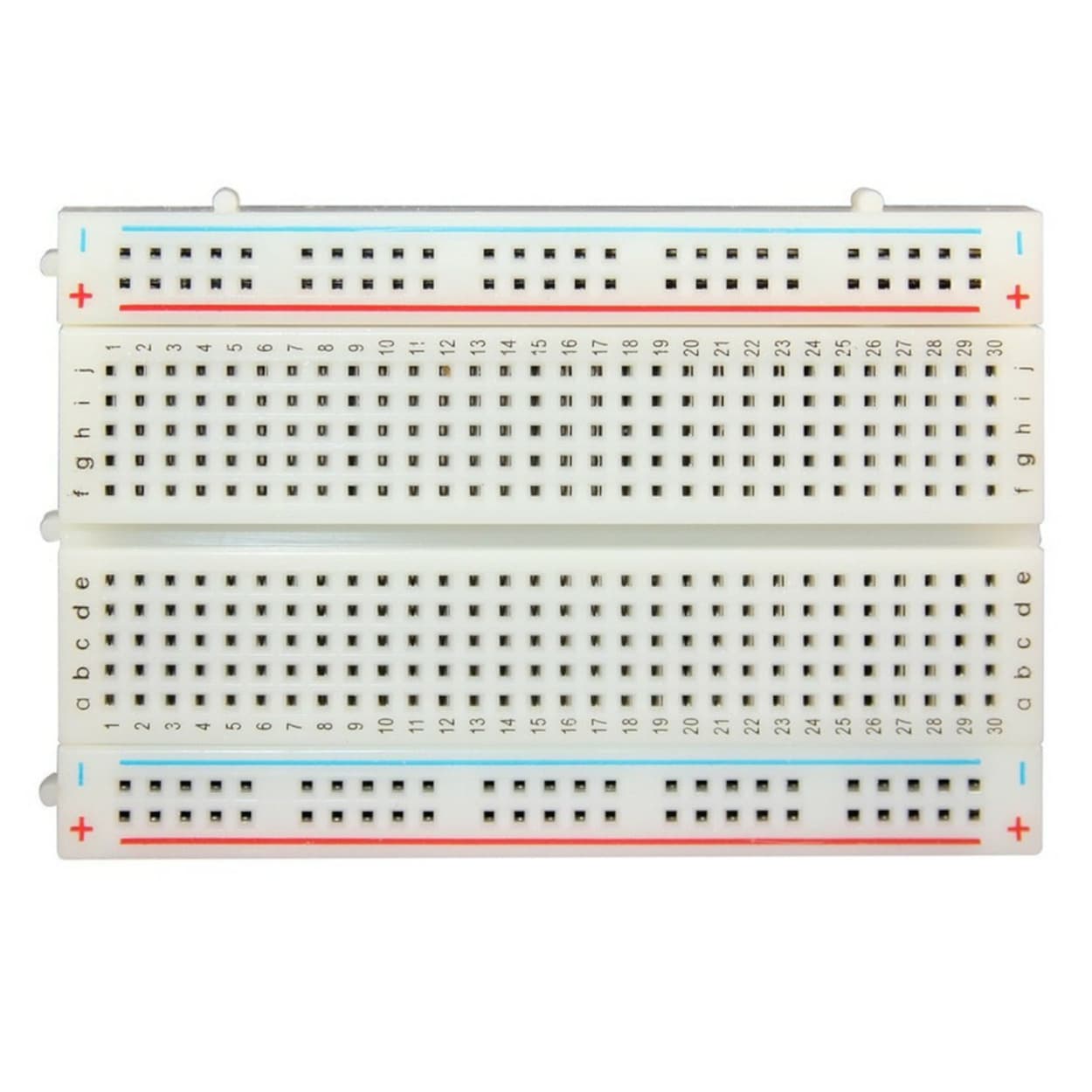
A breadboard is a tool used to build and test electronic circuits without permanently soldering components.
It is very useful for:
- Learning electronics
- Testing circuits
- Prototyping
- Arduino projects
- Robotics projects
How Does a Breadboard Work?
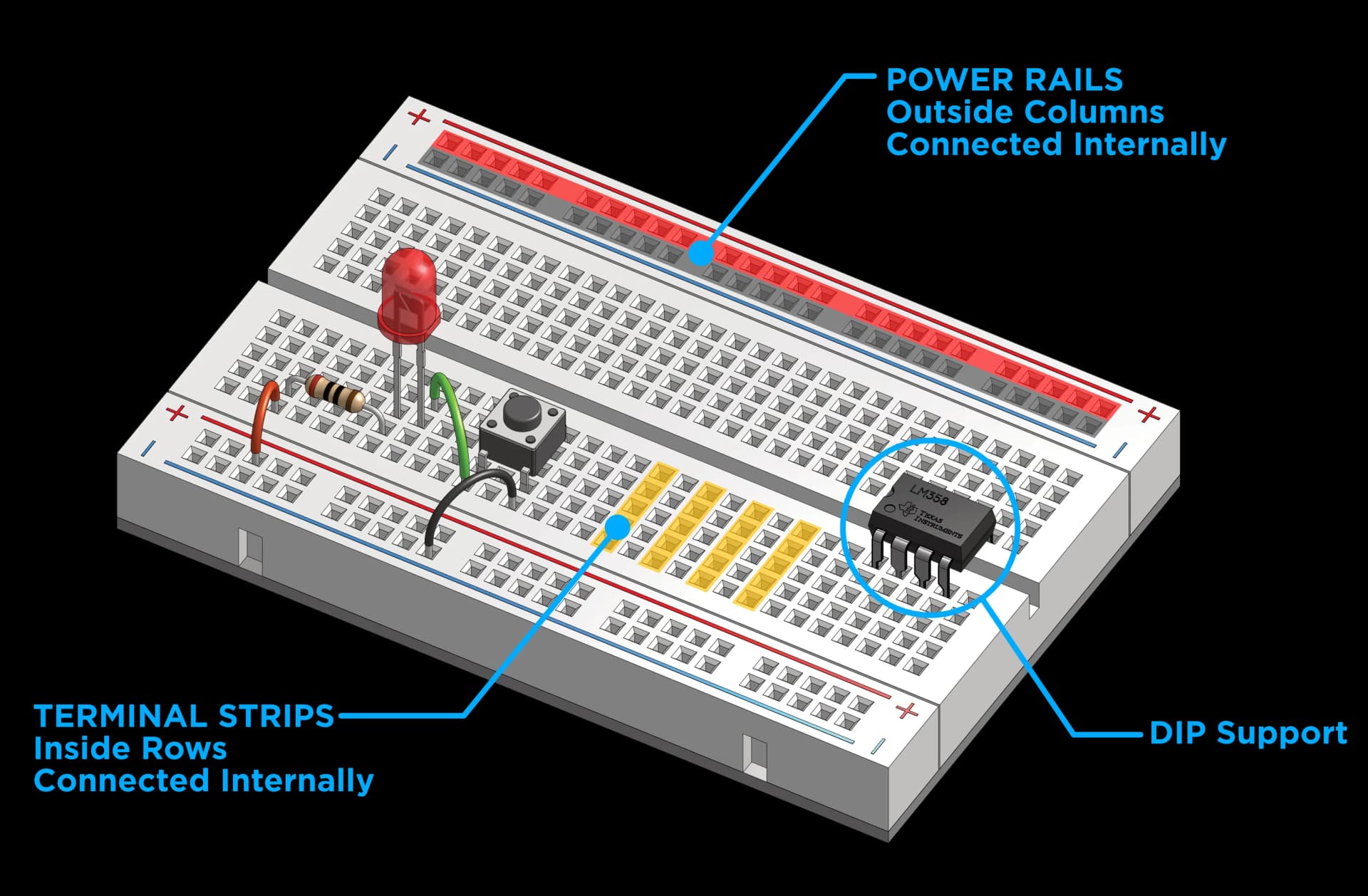
A typical breadboard has:
Power rails
Usually located along the sides.
Circuit Area.
The holes in the central area are internally connected in groups.
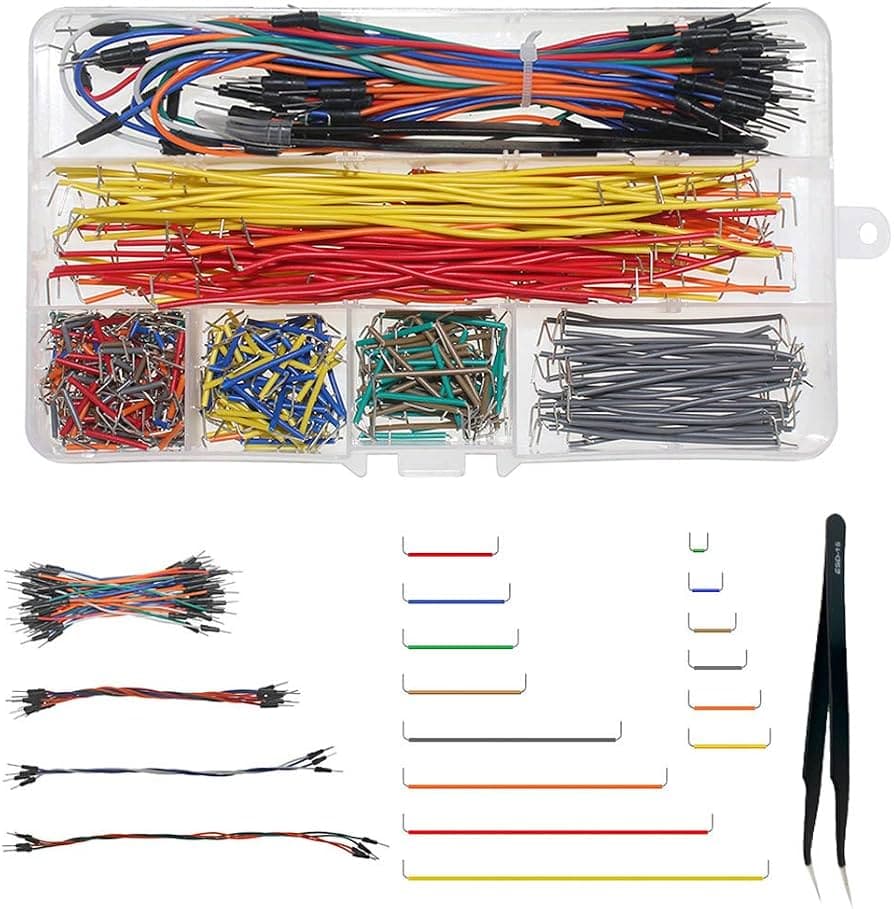
Jumper Wires
Jumper wires are wires used to make connections between components.
Common types include:
- Male-to-male
- Male-to-female
- Female-to-female
For a breadboard, male-to-male jumper wires are commonly used.
What You Learned
In this lesson, you learned about some of the most common components used in beginner electronics.
You learned that:
Battery → provides power
Capacitor → stores electrical energy temporarily
Buzzer → produces sound
Switch → controls a circuit
Push button → provides momentary control
Breadboard → helps us build circuits without soldering
Jumper wires → connect components
Now that we know the basic components, we're ready to build our first real circuit.